LiftMaster Keypad Not Working: The Definitive Troubleshooting Guide
Estimated reading time: 12 minutes.
The 2-Minute Quick Check:
- Battery Voltage: Replace the 9V or coin-cell battery. Even if the keypad lights up, low voltage often prevents the signal from reaching the garage door opener logic board.
- Clear Obstructions: Ensure the keypad isn’t covered in ice, debris, or thick paint that might interfere with the tactile response of the buttons.
- Power Cycle the Opener: Unplug your garage door opener from the ceiling outlet for 60 seconds to clear the logic board’s temporary memory.
- Check for Interference: Ensure no new LED light bulbs or high-frequency electronics have been installed near the opener, as these can cause RF interference.
Table of Contents
- LiftMaster Keypad Not Working: The Definitive Troubleshooting Guide
- The 2-Minute Quick Check
- Root Causes: Why Your Keypad Fails
- 1. The Battery and Contact Test
- 2. Re-Syncing the Rolling Code
- 3. Addressing RF Interference
- 4. Logic Board Reset
- When to Replace the Hardware
- Recommended Video Fix
- Frequently Asked Questions
There is nothing more frustrating than standing in your driveway, punching in your PIN, and watching the keypad remain unresponsive. When you have a liftmaster keypad not working, the issue usually boils down to one of three things: a depleted power source, a desynchronized rolling code, or a failure in the radio frequency (RF) communication between the keypad and the opener’s logic board.
As a technician, I see homeowners replace perfectly functional hardware because they assume the unit is “dead.” In reality, these devices are robust, but they are sensitive to environmental factors and signal degradation. This guide will walk you through the diagnostic process to identify whether you are dealing with a simple battery failure or a more complex logic board communication error.
Root Causes: Why Your Keypad Fails
To understand why your liftmaster keypad not working, you must understand the communication protocol. LiftMaster keypads operate on a specific frequency—typically 315 MHz or 390 MHz—using Security+ 2.0 rolling code technology. Every time you press a button, the keypad sends a unique, encrypted signal to the opener. If the opener’s logic board does not recognize the sequence, or if the signal is blocked by electromagnetic interference, the door will not move.
Hardware failure is less common than signal failure. However, if your keypad is exposed to extreme weather, moisture can corrode the internal circuit board contacts. Furthermore, if you have recently upgraded your home lighting to cheap LED bulbs, you may be inadvertently flooding the 300-400 MHz spectrum with noise, effectively “jamming” your own garage door opener. For more on how wireless signals interact with home environments, check out this guide on wireless signal interference.
Step-by-Step Troubleshooting
1. The Battery and Contact Test
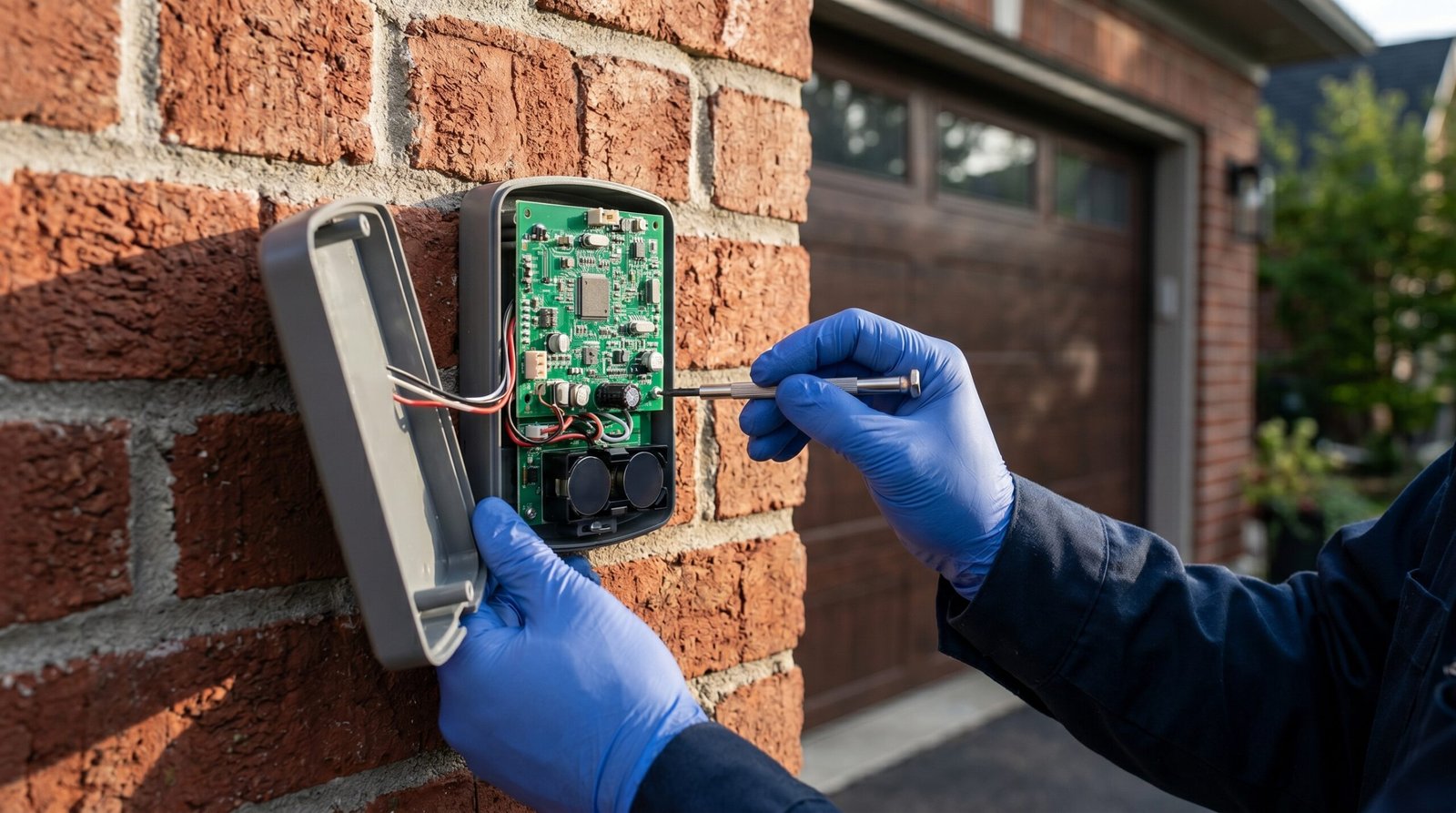
The most common culprit is a battery that has enough juice to light the keypad but not enough to transmit the encrypted signal. Do not rely on the keypad light as a sign of a healthy battery. Replace the battery with a high-quality, name-brand alkaline battery. While you have the cover off, inspect the battery terminals for white or green corrosion. If present, clean them with a cotton swab dipped in isopropyl alcohol.
Technician’s Pro-Tip: If you live in a climate with extreme temperature swings, use a lithium-based 9V battery. They handle cold-start voltage drops significantly better than standard alkaline batteries, preventing the “dead keypad” syndrome during winter months.
2. Re-Syncing the Rolling Code
If the battery is fresh and the keypad still fails, the rolling code synchronization is likely broken. This happens if the keypad button was pressed repeatedly while out of range of the opener. To fix this, you must perform a hard reset of the keypad and re-program it to the opener. Consult your specific model’s manual to enter “Learn Mode” on the opener, then input your PIN and hold the “Enter” button until the opener lights flash.
3. Addressing RF Interference
If you have recently installed new smart home devices, you might be experiencing signal congestion. If you are struggling with a liftmaster keypad not working, try unplugging any recently added smart plugs or LED light strips near the garage. If the keypad begins working, you have identified an RF interference source. For those looking to integrate more robust security, explore our advanced smart security camera systems to ensure your perimeter is fully monitored.
4. Logic Board Reset
Sometimes the garage door opener’s logic board becomes unresponsive. Unplug the opener from the power outlet. While it is unplugged, press and hold the wall-mounted door control button for 10 seconds to drain any residual power from the capacitors. Plug the unit back in and attempt to use the keypad again.
| Symptom | Likely Cause | Recommended Action |
|---|---|---|
| Keypad lights up, no door movement | Rolling code desync | Re-program keypad to opener |
| Keypad dead, no lights | Battery failure | Replace battery/clean terminals |
| Intermittent operation | RF Interference | Remove nearby LED bulbs/electronics |
| Keypad works only when close | Weak antenna/Low battery | Check antenna wire on opener |
When to Replace the Hardware
If you have performed a factory reset, replaced the battery, and verified there is no interference, the keypad’s internal transmitter may have failed. Electronic components have a finite lifespan, especially when exposed to the elements. According to repair data from iFixit, outdoor-mounted keypads typically require replacement every 5 to 7 years due to seal degradation and moisture ingress. If the unit is older than this, it is more cost-effective to purchase a new, compatible LiftMaster keypad than to attempt a board-level repair.
Recommended Video Fix
Frequently Asked Questions
Why does my keypad work sometimes but not others?
This is almost always a sign of signal interference or a failing battery. When the battery voltage is right on the edge of the threshold, the keypad will work intermittently. Check for new electronic devices installed in the garage that might be broadcasting on the same frequency.
Can I use a universal keypad instead of a LiftMaster brand?
Yes, but ensure it is compatible with your opener’s specific Security+ technology. Many universal keypads lack the encryption strength of the OEM LiftMaster units, which can leave your garage vulnerable to code-grabbing devices.
How do I know if my garage door opener logic board is the problem?
If your wall-mounted button and your handheld remotes also stop working, the issue is the logic board, not the keypad. If only the keypad is failing, the problem is isolated to the keypad or the signal path between the keypad and the opener.
Conclusion
A liftmaster keypad not working is rarely a sign that your entire garage system is failing. By methodically checking the power supply, re-syncing the rolling codes, and eliminating sources of RF interference, you can resolve the vast majority of these issues in under an hour. If you have exhausted these steps and the unit remains unresponsive, it is time to invest in a new keypad to ensure the security and convenience of your home access point.
Related Topics: LiftMaster, Garage Door Opener, Troubleshooting