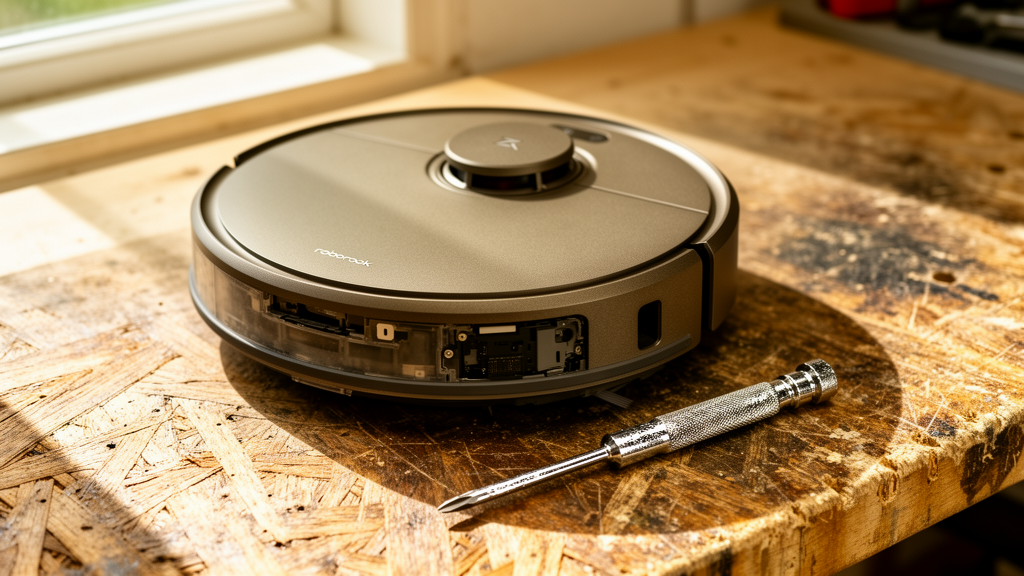
Roborock Keeps Dropping Wi-Fi: The Definitive Troubleshooting Guide
Estimated reading time: 12 minutes.
The 2-Minute Quick Check:
- Power Cycle the Robot: Hold the power button until the unit shuts down completely, wait 30 seconds, and reboot.
- Router Proximity: Ensure the vacuum is not attempting to connect from a “dead zone” behind thick masonry or metal appliances.
- Check Frequency Bands: Confirm your router is broadcasting a 2.4GHz signal, as most Roborock models cannot maintain a stable connection on 5GHz bands.
- App Cache: Clear the cache of the Roborock or Mi Home app on your smartphone to rule out local software glitches.
Table of Contents
- Root Causes: Why Your Connection Fails
- Step-by-Step Troubleshooting
- Comparison: Troubleshooting vs. Hardware Replacement
- Recommended Video Fix
- Frequently Asked Questions
There is nothing more frustrating than a smart home device that refuses to stay smart. You bought a Roborock to automate your floor cleaning, not to spend your evenings wrestling with network settings. When your roborock keeps dropping wifi, it effectively turns a high-end piece of robotics into an expensive, stationary paperweight. This issue is rarely a sign that the vacuum is “broken” in the traditional sense; rather, it is almost always a communication breakdown between the vacuum’s internal Wi-Fi module and your home network infrastructure.
Root Causes: Why Your Connection Fails
To fix this, we have to look at the hardware and the network environment. Roborock vacuums utilize low-power Wi-Fi chips designed to minimize battery drain. These chips are notoriously sensitive to signal interference and network congestion. If your roborock keeps dropping wifi, the culprit is usually one of three things: signal attenuation, IP address conflicts, or firmware-level handshake failures.
Most modern routers use “Band Steering,” a feature that automatically pushes devices between 2.4GHz and 5GHz. Because Roborock vacuums are optimized for the 2.4GHz band—which offers better range through walls—the vacuum often gets confused when a router tries to force it onto a 5GHz signal. The vacuum drops the connection, attempts to reconnect, fails, and eventually gives up. Furthermore, if your router has too many devices connected, the DHCP lease table may become crowded, causing the vacuum to lose its assigned IP address.
For a deeper understanding of how wireless standards impact IoT stability, you can review the technical specifications provided by CNET’s guide on home networking.
Step-by-Step Troubleshooting
1. Isolate the 2.4GHz Network
If your router combines 2.4GHz and 5GHz into a single SSID, your Roborock will struggle. Log into your router’s admin panel and create a dedicated “IoT” network that is 2.4GHz only. Connect your phone to this network, then re-pair the vacuum. This prevents the router from constantly trying to steer the vacuum to the 5GHz band.
2. Assign a Static IP Address
DHCP conflicts are a silent killer of smart home stability. By assigning a static (reserved) IP address to your Roborock via your router’s “Address Reservation” or “Static Lease” settings, you ensure the vacuum always has a dedicated “seat” on your network. This prevents the vacuum from being kicked off when other devices join the network.
3. Check for Firmware and App Updates
Roborock frequently releases OTA (Over-the-Air) updates to improve Wi-Fi driver stability. If your roborock keeps dropping wifi, check the app for a pending firmware update. If the app itself is outdated, it may fail to maintain the handshake with the vacuum’s cloud server. Always ensure both the vacuum firmware and the mobile application are on the latest versions.
Technician’s Pro-Tip: If you have a mesh Wi-Fi system, disable “Fast Roaming” or “802.11r” for the specific node closest to the vacuum’s dock. These protocols are designed for mobile phones, not stationary IoT devices, and often cause the vacuum to disconnect as it tries to jump between mesh nodes.
4. Inspect the Wi-Fi Antenna
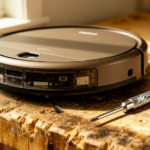
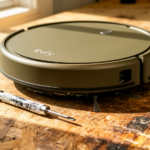
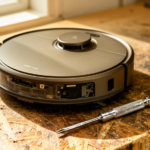
In rare cases, the internal Wi-Fi antenna cable may have become loose due to vibrations from the vacuum’s motor. If you are out of warranty, you can carefully open the top cover to ensure the antenna lead is firmly seated on the motherboard. For guidance on safe disassembly, refer to iFixit’s repair documentation for general electronics handling.
If you are also experiencing issues with other smart devices in your home, you might want to check our comprehensive smart home security troubleshooting hub for tips on optimizing your overall network environment.
Comparison: Troubleshooting vs. Hardware Replacement
| Action | Estimated Cost | Difficulty | Effectiveness |
|---|---|---|---|
| Router Network Optimization | $0 | Medium | High |
| Factory Resetting Vacuum | $0 | Low | Medium |
| Replacing Wi-Fi Module | $50 – $120 | High | High |
| Buying New Vacuum | $400+ | N/A | Guaranteed |
Recommended Video Fix
Frequently Asked Questions
Why does my Roborock disconnect only when it is charging?
This is often due to electromagnetic interference from the charging dock’s power supply. Ensure the dock is not placed directly next to your router or a large metal object that could cause signal noise.
Will a factory reset fix the Wi-Fi issue?
A factory reset is a valid “nuclear option.” It clears the vacuum’s network cache and forces it to re-establish a fresh handshake with your router. However, do this only after you have confirmed your router settings are correct, or you will simply be back to square one.
Is it possible my router is just too old?
Yes. Older routers (Wi-Fi 4 or early Wi-Fi 5) often struggle with the high device density of modern smart homes. If you have more than 20 devices connected, your router’s processor may be hitting its limit, causing it to drop connections to lower-priority devices like your vacuum.
Final Thoughts
When your roborock keeps dropping wifi, it is rarely a sign that the hardware is dead. By isolating the 2.4GHz band, reserving an IP address, and ensuring your router isn’t aggressively steering the device, you can restore a stable connection. Smart home stability is about managing the environment, not just the device. Follow these steps, and your vacuum will return to its primary job: keeping your floors clean without the constant need for manual intervention.
Related Topics: Roborock, Robot Vacuum, Wi-Fi Troubleshooting