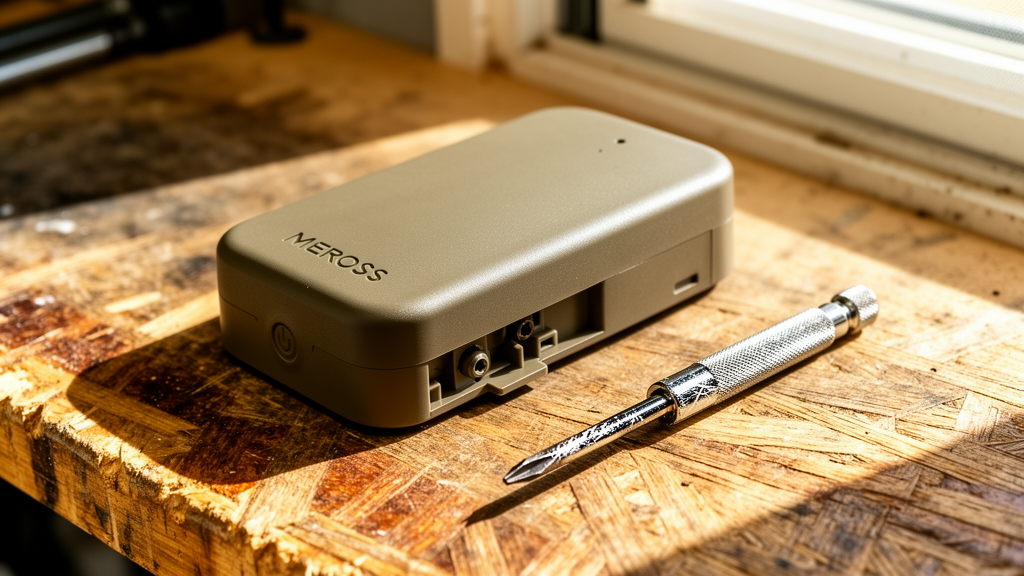
Meross Smart Garage Door Keeps Opening: Permanent Fixes for Ghost Activations
Estimated reading time: 8 minutes.
- Check the Sensor Alignment: Ensure the magnetic door sensor is within 1-2cm of the main unit when closed.
- Power Cycle the Controller: Unplug the Meross power adapter for 30 seconds and plug it back in to clear cache errors.
- Inspect Wiring: Verify that the low-voltage wires connected to your garage door opener terminals are tight and not frayed.
- Review Activity Logs: Open the Meross app to see if the “opening” event is triggered by a specific user, a routine, or a “ghost” signal.
Table of Contents
- Root Causes: Why Your Garage Door is Acting Alone
- Step-by-Step Troubleshooting
- Recommended Video Fix
- Frequently Asked Questions
There is nothing more unsettling than returning home to find your garage door wide open, or worse, waking up to find it has opened on its own in the middle of the night. If your meross smart garage door keeps opening, you are likely dealing with a combination of signal interference, sensor misalignment, or a firmware glitch. This is not a random occurrence; it is a technical failure that requires a systematic approach to isolate the variable causing the unwanted command.
Root Causes: Why Your Garage Door is Acting Alone
To stop the erratic behavior, we must first understand the architecture of the Meross smart garage door opener. The device operates by sending a momentary electrical pulse to your existing garage door opener’s wall-button terminals, effectively mimicking a physical button press. When the system malfunctions, it is usually due to one of three technical failures:
- Voltage Leakage or Short Circuits: If the low-voltage wires running from the Meross unit to your opener are damaged or touching, the opener may interpret this as a “trigger” signal.
- Wi-Fi Instability and Packet Loss: If your router is struggling to maintain a stable connection, the Meross device may reboot or lose its state, occasionally triggering a “fail-safe” or “reconnect” command that the opener interprets as an open signal.
- Sensor Drift: The magnetic sensor is the “eyes” of the system. If the magnet has shifted or the battery in the sensor is dying, the system may lose the “closed” status, causing the app to attempt a correction or trigger an alert that leads to an unintended state change.
For a deeper understanding of how smart home connectivity impacts device reliability, you can review the fundamentals of smart home connectivity to see how signal congestion affects your local network.
Step-by-Step Troubleshooting
1. Inspecting the Magnetic Sensor
The most common reason a meross smart garage door keeps opening is a faulty or misaligned sensor. The Meross unit relies on a reed switch to detect the door’s position. If the magnet is too far from the sensor, the app thinks the door is open. If the sensor is loose, vibrations from the garage door motor can cause the sensor to “flicker” between open and closed states, which can confuse the controller.
Technician’s Pro-Tip: Use a piece of double-sided 3M VHB tape to secure the sensor. Standard adhesive often fails in the extreme temperature fluctuations of a garage. Ensure the sensor is mounted on a non-metallic surface if possible, as metal can interfere with the magnetic field.
2. Eliminating Electrical Interference
Your garage door opener terminals are sensitive. If you have spliced wires or used loose connectors, oxidation can create a high-resistance connection that triggers the opener randomly. Ensure your connections are solid. If you are using the provided wire taps, consider replacing them with high-quality wire nuts or WAGO connectors for a more permanent, vibration-resistant connection.
3. Addressing Wi-Fi and Network Stability
Smart devices require a stable 2.4GHz connection. If your router is too far away, the Meross device will constantly drop and reconnect. During these reconnect cycles, the device may send a “heartbeat” signal that your garage door opener interprets as a command. Check your router’s signal strength at the garage location. If you are experiencing frequent drops, consider adding a Wi-Fi extender or a mesh node closer to the garage.
For those interested in optimizing their broader home network for IoT devices, check out our guide on securing and stabilizing your smart home network to ensure your devices remain connected without interference.
4. Firmware and App Settings
Ensure your Meross app is updated to the latest version. Occasionally, a firmware bug can cause the device to misinterpret its own state. Navigate to the device settings in the Meross app and check for a “Firmware Update” notification. If the issue persists, perform a factory reset by holding the button on the device for 10 seconds until the LED flashes, then re-add it to your network.
| LED Status | Meaning | Action Required |
|---|---|---|
| Solid Green | Connected to Wi-Fi | None |
| Flashing Amber/Green | Configuration Mode | Re-pair via Meross App |
| Rapid Flashing Red | Connection Error | Check Router/Wi-Fi Signal |
| No Light | Power Failure | Check Power Adapter/Outlet |
Recommended Video Fix
Frequently Asked Questions
Why does my garage door open only at night?
This is often caused by “ghost” triggers from Wi-Fi interference or automated routines. Check your Meross app for any “Auto-Close” or “Schedule” settings that might be misconfigured. Also, ensure your router isn’t performing a scheduled reboot at night, which can cause the Meross device to cycle its power and trigger the opener.
Can a low battery in the sensor cause the door to open?
Yes. When the sensor battery is near death, the signal strength drops. The controller may lose the “closed” status, and if you have “Auto-Close” enabled, the system might try to force the door closed, or conversely, trigger an error state that results in the door opening.
Is my garage door opener hardware failing?
If you have disconnected the Meross unit entirely and the door still opens on its own, the issue is with your garage door opener’s logic board, not the Meross device. Consult professional repair documentation to diagnose potential motor unit failures.
Related Topics: Meross, Garage Door Opener, Smart Home Troubleshooting