Genie Aladdin Connect Not Responding: The Definitive Troubleshooting Guide
Estimated reading time: 12 minutes.
- Power Cycle: Unplug the Aladdin Connect controller from the wall outlet, wait 30 seconds, and plug it back in.
- Check the LED: Is the status light solid green, blinking red, or off? A solid red light usually indicates a loss of Wi-Fi connectivity.
- Router Proximity: Ensure your Wi-Fi router hasn’t been moved or obstructed by new metal shelving or appliances.
- App Refresh: Force close the Aladdin Connect app on your smartphone and relaunch it to clear cached session data.
Table of Contents
- Root Causes: Why Your System Fails
- Step-by-Step Troubleshooting for Genie Aladdin Connect Not Responding
- Advanced Network Considerations
- Recommended Video Fix
- Frequently Asked Questions
You are standing in your driveway, tapping your phone screen, and nothing happens. The garage door remains shut, and the app displays a frustrating “Offline” or “Device Not Responding” status. When your genie aladdin connect not responding, it disrupts your entire routine and compromises your home security. This isn’t just a minor inconvenience; it is a failure of your smart home ecosystem.
As a technician, I see this daily. The Aladdin Connect system relies on a delicate handshake between your local Wi-Fi network, the Genie cloud servers, and the physical door controller. When that handshake breaks, the system goes dark. This guide cuts through the noise to identify exactly why your unit is failing and how to restore full functionality.
Root Causes: Why Your System Fails
The Aladdin Connect system operates on the 2.4GHz Wi-Fi band. Unlike the 5GHz band, which offers higher speeds but shorter range, 2.4GHz is designed for penetration through walls and distance. However, it is also prone to interference from microwaves, baby monitors, and neighboring Wi-Fi networks. If your router updated its firmware or changed channels automatically, your garage controller might have been left behind.
Beyond network issues, hardware degradation is a reality. The controller is mounted in a garage—an environment subject to extreme temperature fluctuations and humidity. These conditions can cause internal capacitor fatigue or oxidation on the circuit board. Furthermore, if you are looking to upgrade other parts of your home, you might find our comprehensive security camera installation guides helpful for maintaining a stable network environment for all your IoT devices.
Step-by-Step Troubleshooting for Genie Aladdin Connect Not Responding
1. The Network Handshake Reset
Most connectivity issues stem from a stale IP address assignment. Your router may have assigned a new IP to another device, causing a conflict. Perform a hard reset on your router by unplugging it for 60 seconds. Once the router is back online, power cycle the Aladdin Connect controller. This forces the controller to request a fresh IP address from the DHCP server.
2. Analyzing LED Status Codes
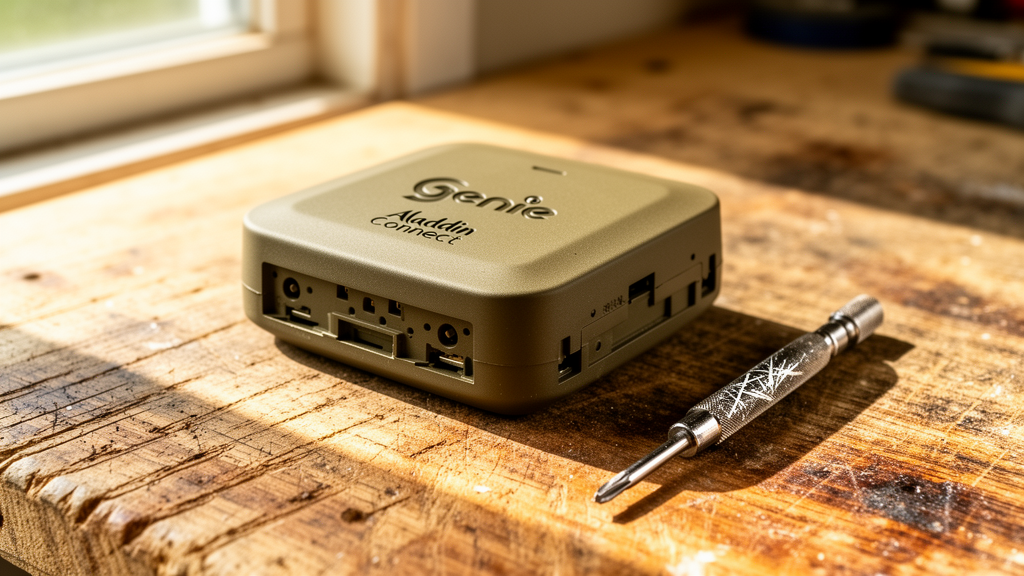
The LED on your controller is your primary diagnostic tool. If the light is blinking red, the device is searching for a network. If it is solid red, it has lost its connection to the Genie cloud. If there is no light at all, check the power adapter. According to iFixit’s guide on Wi-Fi troubleshooting, signal attenuation is often caused by physical obstructions between the router and the client device.
Technician’s Pro-Tip: If your Wi-Fi signal is weak in the garage, do not rely on a standard Wi-Fi extender. Use a mesh Wi-Fi system. Mesh nodes provide a seamless handoff, whereas extenders often create a secondary network that confuses IoT devices like the Aladdin Connect.
3. Factory Resetting the Controller
If the device remains unresponsive, a factory reset is necessary. Locate the reset button on the controller (usually a small pinhole). Press and hold it for 10 seconds while the device is powered on. The LED will flash, indicating it has returned to “Setup Mode.” You will then need to re-add the device through the Aladdin Connect app as if it were brand new.
4. Checking the Door Sensor
Sometimes the controller is online, but the door sensor is the culprit. The sensor uses a magnetic reed switch or an accelerometer to detect door position. If the battery in the door sensor is dead, the app will show the door as “Unknown” or “Not Responding.” Replace the CR2450 or CR2032 battery (depending on your model) and re-pair the sensor to the controller.
| LED Status | Meaning | Required Action |
|---|---|---|
| Solid Green | Connected & Normal | None |
| Blinking Red | Searching for Wi-Fi | Check Router/SSID |
| Solid Red | Cloud Connection Lost | Power Cycle/Check Internet |
| No Light | No Power | Check Outlet/Adapter |
Advanced Network Considerations
Modern routers often use “Band Steering,” which forces devices to connect to the 5GHz band. The Aladdin Connect controller is strictly 2.4GHz. If your router combines both bands under one SSID, the controller may struggle to maintain a stable connection. Log into your router’s admin panel and verify that the 2.4GHz band is active and not hidden. For more technical details on wireless standards, refer to CNET’s guide on optimizing home networks.
Recommended Video Fix
Frequently Asked Questions
Why does my Aladdin Connect go offline every time it rains?
High humidity can increase signal interference, especially if your garage door opener housing is not properly sealed. Ensure the controller is mounted away from direct moisture and that your Wi-Fi signal is strong enough to penetrate the garage wall even in poor weather conditions.
Can I use the Aladdin Connect with a 5GHz Wi-Fi network?
No. The hardware inside the Aladdin Connect is not compatible with 5GHz frequencies. It must be connected to a 2.4GHz network. If your router only broadcasts 5GHz, you will need to enable the 2.4GHz radio in your router settings.
How long should the door sensor battery last?
Under normal usage, the sensor battery should last between 12 to 18 months. If you are replacing it more frequently, check for “false triggers” caused by the sensor being mounted too loosely, which forces the device to wake up and transmit data more often than necessary.
Related Topics: Genie Aladdin Connect, Garage Door Opener, Smart Home Troubleshooting