Eufy RoboVac Blinking Red While Charging: Expert Troubleshooting Guide
Estimated reading time: 8 minutes.
- Check the physical contacts: Ensure the charging pins on both the base station and the vacuum are free of dust, hair, or oxidation.
- Power cycle the unit: Flip the physical power switch on the side of the RoboVac to “Off,” wait 30 seconds, and flip it back to “On.”
- Verify the power source: Ensure the wall outlet is live and the power adapter is firmly seated in the charging base.
- Inspect the battery: If the unit is over two years old, the lithium-ion cells may have reached their cycle limit.
Table of Contents
- Root Causes: Why Your Eufy RoboVac Blinking Red While Charging Occurs
- Step-by-Step Troubleshooting
- LED Error Code Reference Table
- Recommended Video Fix
- Frequently Asked Questions
You walk into your living room expecting a clean floor, only to find your Eufy RoboVac docked, emitting a rhythmic, irritating red pulse. It isn’t charging, and it isn’t cleaning. This is a common failure state for Eufy devices, and it usually points to a breakdown in the power delivery system or a battery management failure. As a technician, I see this daily. It is rarely a “dead” unit; it is almost always a communication or conductivity issue between the dock and the vacuum.
Root Causes: Why Your Eufy RoboVac Blinking Red While Charging Occurs
When you see a eufy robovac blinking red while charging, the internal microcontroller has detected an anomaly in the charging circuit. This isn’t just a “low battery” warning; it is a fault code. The most common culprit is high resistance at the charging contacts. Over time, microscopic dust, pet dander, and oxidation build up on the metal strips, creating an insulating layer that prevents the base station from delivering a steady current to the battery.
Beyond physical debris, we have to look at the battery management system (BMS). Lithium-ion batteries have a finite lifespan, typically measured in charge cycles. According to iFixit’s battery safety guidelines, once a cell’s internal resistance rises too high, the BMS will refuse to accept a charge to prevent thermal runaway or fire. If your vacuum is blinking red, the BMS might be protecting you from a failing battery cell.
Finally, consider the power adapter. These units use a specific voltage and amperage. If the power brick is failing, it may provide enough voltage to trigger the “docked” light but not enough current to initiate the charging cycle, causing the unit to enter a loop of error states.
Step-by-Step Troubleshooting
1. Deep Clean the Charging Interface
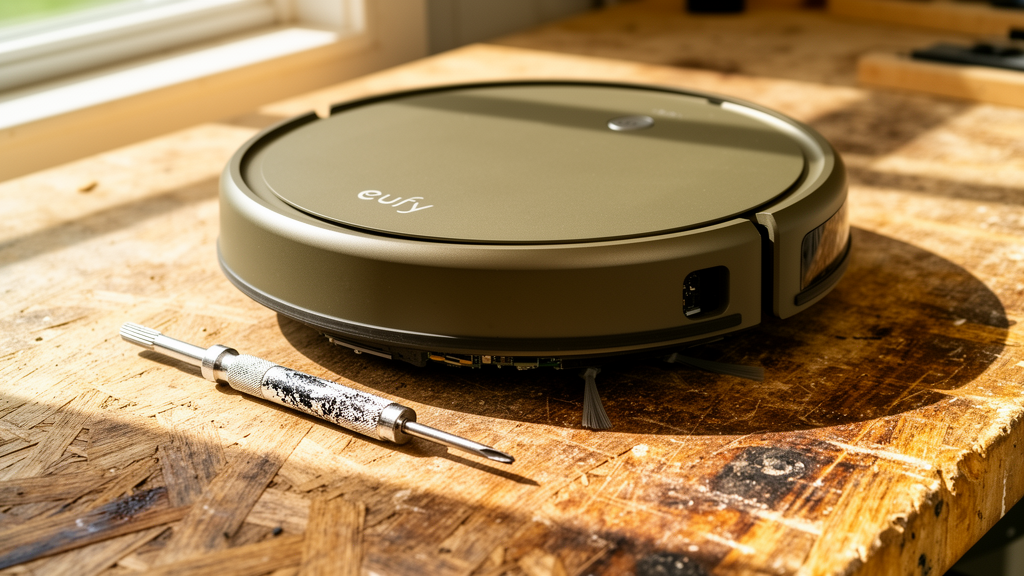
Before you buy a new battery, clean the hardware. Use a dry, microfiber cloth to wipe the charging pins on the base station and the contact strips on the bottom of the RoboVac. If there is visible oxidation (a dull, brownish film), use a standard pencil eraser to gently buff the metal until it shines. Do not use water or conductive cleaners.
2. The Hard Reset Procedure
Software glitches in the firmware can cause the charging logic to hang. Perform a hard reset:
- Turn the main power switch on the side of the unit to the “O” (Off) position.
- Unplug the charging base from the wall outlet.
- Wait for at least 60 seconds to allow the capacitors in the base and the vacuum to fully discharge.
- Plug the base back in and ensure the power light on the base is solid.
- Place the RoboVac on the base and flip the power switch to the “I” (On) position.
Technician’s Pro-Tip: If your RoboVac is struggling to connect to your network, it is often because of interference. Ensure your router is not broadcasting on a crowded channel. For more help with your home network, check out our smart home connectivity troubleshooting hub to ensure your devices are communicating properly.
3. Battery Health Verification
If the unit still blinks red after cleaning and resetting, the battery is the likely failure point. You can test this by removing the battery pack (usually held in by two screws on the underside). If the battery casing looks swollen or feels hot to the touch, it is a fire hazard and must be replaced immediately. Refer to CNET’s guide on battery replacement for specific safety precautions when handling lithium-ion packs.
LED Error Code Reference Table
| LED Status | Meaning | Recommended Action |
|---|---|---|
| Solid Red | Battery critically low | Ensure dock is powered and contacts are clean. |
| Blinking Red | Charging fault / Battery error | Perform hard reset; inspect battery for swelling. |
| Solid Blue | Fully charged | Normal operation. |
| Blinking Orange | Wi-Fi connection issue | Re-pair with 2.4GHz network. |
Recommended Video Fix
Frequently Asked Questions
Why does my Eufy RoboVac blink red even after I cleaned the contacts?
If the contacts are clean and the unit still blinks red, the internal battery management system has likely detected a voltage drop that indicates a dead cell. The battery pack needs to be replaced.
Can I use a third-party charger for my Eufy?
Avoid this. Eufy chargers are calibrated for specific voltage and amperage. Using an incorrect power adapter can damage the motherboard or cause the battery to overheat.
How long should a Eufy battery last?
Under normal usage, a Eufy battery typically lasts between 18 to 24 months. If you run the vacuum daily on high-suction mode, expect the battery to degrade closer to the 18-month mark.
Related Topics: Eufy, Robot Vacuum, Troubleshooting